
Affiliate disclosure: Some links in this article are affiliate links. If you sign up through them, ToolCheckHQ may earn a commission at no extra cost to you. Our affiliate disclosure and editorial policy explain how we pick and review tools.
GoHighLevel started as a tool for marketing agencies, and that’s still where it fits best. If you manage several clients and each one wants leads, follow-up, and booking, one login beats five.
I haven’t run an agency on it. This guide comes from the vendor’s pricing and help pages plus published reviews. For the full overview, see our GoHighLevel review.
Why agencies pick it
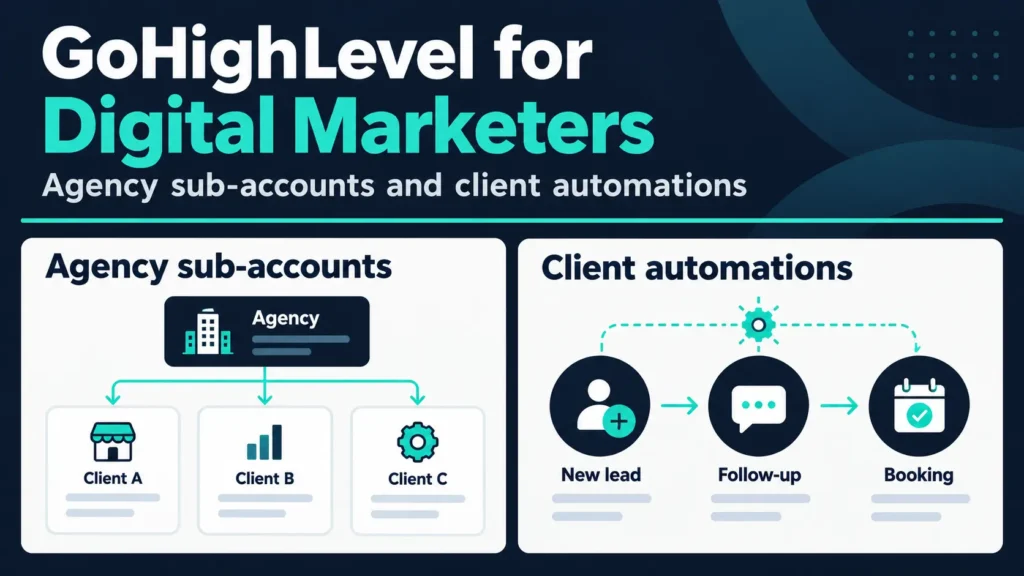
- Sub-accounts keep each client’s contacts and data separate
- Unlimited users and contacts on every plan, so you don’t pay per seat
- One toolset: CRM, funnels, texting, email, booking, and automation
- Reselling options on the top plan
That’s the white-label CRM pitch for agencies: build once, deliver to many.
What you can sell with it
Small local businesses buy results, not software. Common services built on GoHighLevel include:
- Missed-call text back
- New-lead follow-up
- Appointment reminders
- Review requests
- Reactivation campaigns for old customers
See our automation examples for sample workflows.
Which plan fits an agency
- Starter: $97 a month, with 3 sub-accounts. Fine for your first 3 clients or for your own business plus 2 clients.
- Unlimited: $297 a month, with unlimited sub-accounts. This is where most agencies land once they pass 3 clients.
- Agency Pro: $497 a month, adds SaaS Mode, which lets you rebill clients with a markup and set up accounts automatically.
Usage fees for texts, calls, and AI features sit on top of all 3.
A rough margin example
Treat this as a hypothetical. Say you pay $297 a month for Unlimited and charge 5 clients $250 each. That’s $1,250 a month in billing. After the plan, you’d still need to cover usage fees, your time, and any ad spend you manage.
Run your own numbers. The software is the small cost. Your time to set up and support each client is the big one.
Reselling with SaaS Mode
On Agency Pro, you can sell GoHighLevel under your own brand and rebill usage with a markup. Guides call this a second income stream, and it also adds support work.
Only buy Agency Pro if you have clients lined up. The extra $200 a month over Unlimited doesn’t pay off with 1 or 2 clients.
Setting up clients faster
Agencies usually build a standard setup once (pipeline, forms, workflows) and copy it into each new client account. GoHighLevel has template features for that, and I’d check the current name and limits in the docs.
What to check before you commit
- Learning curve. Expect to spend a few days before the first client setup feels smooth.
- Support load. Clients will message you when a text fails or a form breaks.
- Texting rules. US rules require consent and carrier registration, and clients rely on you to set it up properly.
- Regulated clients. Healthcare clients need a HIPAA add-on at an extra cost. See GoHighLevel for doctors.
Protect your time
Charge a setup fee and a monthly fee, and write down what’s included. List what you’ll fix (workflow errors, form edits) and what costs extra (new funnels, new integrations). Support requests can eat a week when the scope is vague, and a clear list does more for your margins than any pricing trick.
When it’s the wrong tool
If you only have 1 or 2 clients and don’t need texting, a lighter stack may cost less. Systeme.io covers funnels and email for your own brand at a lower price, and our GoHighLevel alternatives list has other options.
Picking your first agency service
New agencies often try to sell everything. Pick one small service that solves a clear problem for local businesses:
- Missed-call text back
- New-lead follow-up
- Appointment reminders
- Review requests
Each one is easy to explain: “When a customer calls and you can’t pick up, they get a text within a minute.” That’s a service a plumber, a dentist, or a salon owner understands right away.
How to pitch it
Show a demo before you talk price. Set up a test number, call it, and let the prospect see the text arrive on their own phone. A 2-minute demo beats a long deck.
Agree on what you’ll deliver, how long setup takes, and who pays the usage fees. Clear terms save arguments later.
My take
Start on Starter with your own business and 2 pilot clients. If you land a third, move to Unlimited. Hold off on Agency Pro until clients ask for a branded platform.
Frequently asked questions
Is GoHighLevel good for digital marketing agencies?
Yes. It’s built for agencies, with sub-accounts and flat plans.
How many clients can I manage?
Starter includes 3 sub-accounts. Unlimited and Agency Pro have no cap on sub-accounts.
What is SaaS Mode?
An Agency Pro feature that lets you resell GoHighLevel under your brand and rebill clients.
Does GoHighLevel have a free trial?
Yes. Length varies by link, so check the sign-up page.