Disclosure: ToolCheckHQ may earn a commission if you sign up through links on this page, at no extra cost to you. It does not change what we write. Read our affiliate disclosure.
Quick take
EverPitch is an AI webinar builder. You give it a topic, it writes the script, designs the slides, adds a voice, and then runs the finished webinar on a daily automated schedule. The front-end price is a one-time $37. It is brand new, so there are no long-term user results yet. This review is based on the vendor’s own pages and the published launch details.
Most people who should run a webinar never do. The idea is there. The knowledge is there. Then you think about the script, the slide deck, the rehearsal, the registration page and the reminder emails, and the whole thing slides onto next month’s list.
EverPitch is built for exactly that stall. You hand it a topic (or a document, a sales page link or a recording), and it produces the script, the slides and the voice-over, then hosts the finished talk as an automated webinar. The front-end price is $37, paid once.
That is a big promise for the money, so this EverPitch review goes through what the tool does, how it works, what each upgrade adds, who it suits and where it falls short. One thing to know before you read on: EverPitch opens to the public this week. Anything about results comes from the vendor, and we will point that out whenever it matters.
What Is EverPitch?
EverPitch is a cloud-based tool that creates and hosts webinars with AI. There is no software to install, and you do not need a camera or a microphone. The finished webinar is a prepared presentation with an AI voice, shown to viewers on a schedule you choose.
The pitch is simple. Webinars work because they give you time to teach, demonstrate, answer questions and let people decide. The hard part has always been making one. EverPitch tries to take the planning, writing, slide design and voice work off your plate so the first webinar actually gets made.
The vendor lists these audiences: coaches, creators, affiliate marketers, consultants and local businesses. In plain terms, anyone who has something to explain and has been putting it off.

Who Is Behind EverPitch?
EverPitch is sold by Todd Gross and his team, who have launched a long line of AI voice and video products under the Synthesys name. The EverPitch page links to Synthesys for its terms and privacy policy, and it is sold through JVZoo. The team also says it runs webinars for its own launches, which is a fair reason to trust that they understand the problem they are solving.
That track record is worth something, but it does not tell you how this specific product will perform for your topic and your audience. Keep that in mind as we go.
How EverPitch Works, Step by Step
The workflow has three stages.
Step 1: Describe your webinar
You enter a topic and follow a guided setup, or you give EverPitch something you already have: a document, a sales page link or a recording up to 2 GB. If you have an old blog post or a recorded call, this is the shortcut. You are not starting from a blank page.
Step 2: Review and customize
EverPitch creates the script, the slides and the voice. Every line of the wording can be edited. For slide changes, a feature called Slide Studio lets you describe what you want in plain words instead of opening design software.
Step 3: Publish and share
You pick a registration page, set the schedule, and share the link or place a join button on your own site. You see everything before it goes live.

EverPitch Features Worth Knowing About
Script, slides and voice, created for you
According to the launch details, slides come from 73 layouts across 11 visual styles, and the talk is voiced with one of 30 AI voices. Your logo, name and colors go on the webinar so it looks like your brand. Webinars can run anywhere from about 5 minutes to 60 minutes, which lets you match the length to the offer. A short explainer suits a low-cost product. A longer teaching session suits a higher-priced service.
Automated evergreen sessions
This is the part that makes EverPitch more than a slide maker. The finished webinar runs on a daily schedule in each viewer’s own time zone. Polls, handouts and offers appear at the minutes you choose, and people who join late enter at the current point in the talk. You are not presenting live every time, so one webinar can keep working while you do something else.
The sessions are presented as automated, not live. That is the honest way to run this format, and it protects your reputation with the people who register.
Spoken Q&A
Viewers can ask questions and hear spoken answers drawn from your webinar content. The launch details mention up to 20 answers per session, and these do not use up your creation credits. The answers only come from what is in your webinar, so a thin script means thin answers. This is another reason to put real effort into the material you feed it.
Registration pages, payments and integrations
The product includes 31 registration page templates and 20 replay sales-page templates, plus reminders and calendar invites. Payments are listed through Stripe, PayPal, Lemon Squeezy and Razorpay. For lead syncing, the integrations include Mailchimp, ActiveCampaign, Kit, GoHighLevel, GetResponse, Brevo, AWeber, Zapier, Make and n8n. If you already use one of those email tools, your registrants can flow straight into your list.
87 languages
You can create translated versions of the same webinar and link them together, so a visitor can get the talk in their own language. For anyone selling to several markets, that is a real time saver compared with recording a webinar again for each one.
Credits, explained
Creating a webinar uses credits. The front end includes 3,000 credits a month, and a finished minute costs 40 credits. That works out to roughly 75 minutes of new webinar creation each month. According to the launch details, webinars you have already built keep running when your credits run out. Only new builds wait for the monthly refresh.
Want to see EverPitch working before you decide?
Todd is running a free live reveal, and registering gets you the 5-Minute Presentation Planner right away.
Sunday, November 15, 2026 at 8:00 PM EST or Monday, November 16, 2026 at 10:00 AM EST
Save My Seat for the Free Live Reveal →
Why Webinars Still Work (and What the Vendor Says About Results)
A webinar gives people something an ad or a sales page cannot: a stretch of time where you teach, show your product and answer questions. By the end, a viewer either understands your offer or knows it is not for them. Both outcomes are useful.
The EverPitch team shares one example from its own business. In one of its webinars, it had 340 attendees and generated 218 product sales, with some customers buying more than one product. The team is clear that this was one event. It is not a conversion rate and not a prediction of what you will get. We agree with that framing. Results depend on your offer, your audience and the traffic you send to the registration page. The official page itself says it makes no promise of income, sales or sign-ups.
EverPitch Pricing and Upgrades
The front end is $37 as a one-time payment with no required subscription. It includes the creation and hosting features above, 3,000 credits a month and commercial use for your own business. The launch details list a 30-day money-back guarantee, so check the terms at checkout before you pay.
After the front end, buyers are shown several optional upgrades. Prices below are as listed during the launch, and they can change, so confirm them at checkout.
| Option | Price (launch) | What it adds |
|---|---|---|
| EverPitch Front End | $37 one-time | Script, slides and voice creation, evergreen hosting, pages, integrations, 3,000 credits a month |
| DFY Webinars | $67 | Ten finished webinars of about 15 minutes across different markets, with your logo and colors |
| KIT Vault | $47 | 24 ready-made webinar kits covering 23 markets; you fill in the blanks and EverPitch builds the talk |
| Agency | $77 | A client license to build and run webinars for other businesses, with EverPitch branding removed |
| Ultra | $97 per year | On-screen host from a photo, live voice calls from viewers, voice cloning and streaming options |
| Bundle | $197 one-time (listed range $197 to $227) | Front end, DFY Webinars, KIT Vault and Agency together, with 8,000 credits a month instead of 3,000 |
Here is the practical way to think about it. If you want to build one webinar for your own offer, the front end is enough to start. If you would rather have finished webinars on day one, DFY Webinars is the add-on that does that. If you plan to build webinars for clients, the Agency license or the Bundle is where it makes sense. Bought separately, the front end, DFY, KIT Vault and Agency add up to $228, so the Bundle is slightly cheaper and gives you more monthly credits.
You do not have to decide everything at once. Starting with the front end and adding upgrades once you have built your first webinar is a reasonable approach for most people.
Who Should Use EverPitch?
- Coaches and consultants who want a daily webinar explaining their method and inviting people to book a call.
- Course creators who have lessons or old recordings that could become a teaching webinar ending in an offer.
- Digital product sellers with templates, guides or tools that sell better when someone sees them explained.
- Affiliate marketers who want a short presentation that warms up cold traffic before the offer.
- Freelancers and agencies serving local businesses, who would need the Agency upgrade or the Bundle.
- Businesses selling in several languages, thanks to the linked translated versions.
Who Should Skip It?
EverPitch is probably not the right fit if you want a live, two-way webinar with real-time conversation, because these sessions are prepared and automated. It is also not a match if you need a presenter on camera from day one, since the front end is voice-only and the on-screen host sits in the Ultra upgrade. People who plan to build many webinars every month may find 75 minutes of creation a bit tight on the front end. And if you expect a webinar to produce sales without a decent offer and some traffic behind it, no tool will fix that.
EverPitch Pros and Cons
| Pros | Cons |
|---|---|
| Builds the script, slides and voice from a topic, document, link or recordingAutomated sessions in each viewer’s time zone, with polls, offers and spoken Q&AOne-time $37 entry price with monthly credits31 registration templates, payment options and major email integrations87 languages and linked translated versionsComes from a team that already runs webinars for its own launches | Brand new, so there is no independent long-term track record yetFront end is voice-only; an on-screen host needs the Ultra upgradeAbout 75 finished minutes of creation per month on the front endSeveral upgrades are offered after purchase, which can add upOutput still needs your editing to sound like youSessions are automated, not live |
EverPitch vs Other Ways to Make a Webinar
You have a few routes if you want a webinar. This is how they compare in general terms.
| Route | Who creates the content | Cost pattern | Hosting evergreen sessions |
|---|---|---|---|
| EverPitch | AI drafts it, you edit it | One-time front end, optional upgrades | Included |
| Established webinar platforms such as EasyWebinar or WebinarNinja | You record or build it yourself, some now add AI help | Usually a recurring plan | Included on most plans |
| Live meeting tools such as Zoom | You present live every time | Free or monthly plan | No |
| Hiring a designer and voice talent | Freelancers | Paid per project | Needs a separate tool |
The established platforms have been around longer and have proven track records, which counts for a lot. EverPitch’s angle is different: it does the creation work as well as the hosting. Which one suits you depends on whether your bottleneck is making the webinar or running it.
How to Get a Good Webinar Out of EverPitch
An AI tool gives you a draft quickly. Whether that draft sells anything depends on what you put in and what you change. A few habits help.
- Teach one problem. A webinar that tries to cover everything convinces nobody. Pick the single problem your audience keeps asking about.
- Feed it real material. A blog post, a sales page or an old call recording gives EverPitch your actual words and examples. A vague topic gives you a vague script.
- Rewrite lines until they sound like you. Every line is editable. Spend an hour on this. It is the difference between a webinar that feels personal and one that feels generic.
- Make one offer. Close with a single, clear next step and time the offer card for after you have delivered value.
- Plan the follow-up. Many people leave early or never show. A short email sequence for no-shows and early leavers recovers part of that audience.
- Be open that it is automated. EverPitch discloses the format to viewers, and you should not pretend otherwise.
The Free Presentation Planner and Live Reveal
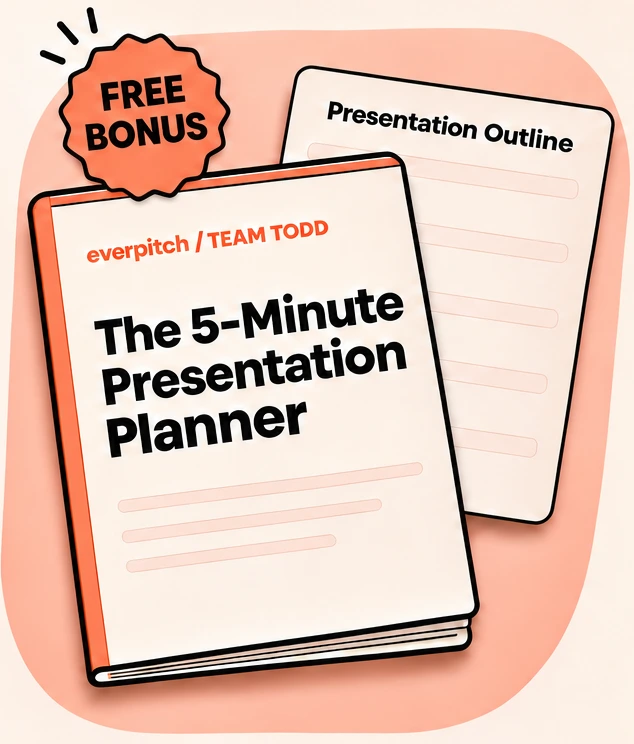
If you are not ready to buy, there is a no-cost way to learn more. The EverPitch registration page offers a free live reveal with Todd, where he walks through the tool, shows how an idea becomes a webinar and takes questions. When you register, you get the 5-Minute Presentation Planner as an instant download. It helps you pick a topic and fill in a simple five-part outline, with three completed examples, and it works for a webinar, a video, a workshop or a talk. No software purchase is needed to use it.
The page also mentions an attendance bonus and a chance to win cash, plus an opportunity to have the team build a webinar for you. These carry their own terms and eligibility rules, so read the giveaway terms before you count on any of it.
Register Free and Get the Planner →
EverPitch FAQ
Is EverPitch worth it?
For $37 one-time, it is a low-risk way to test whether an AI-built evergreen webinar can work for your offer, especially if you have been avoiding webinars because of the production work. The value depends on your offer and your traffic. Because the product is new, treat results claims as the vendor’s, not proven outcomes.
Is EverPitch a one-time payment?
The front end is. You pay $37 once, with no required subscription. Some upgrades, such as Ultra, are priced per year, and those are optional.
Do I need a camera or microphone to use EverPitch?
No. EverPitch writes the script, designs the slides and uses an AI voice. An on-screen host option exists in the Ultra upgrade if you want a face in the webinar.
Are EverPitch webinars live?
No. They are automated evergreen sessions built from a prepared talk, with spoken answers to viewer questions based on your webinar content. The format is disclosed to viewers.
What happens when I run out of credits?
Per the launch details, webinars you have already built keep running. New builds wait until your credits refresh the following month, or you can move to a bundle with a larger monthly allowance.
Can I make webinars for clients with EverPitch?
The front end covers your own business. Client work needs the Agency license or the Bundle, which also removes EverPitch branding from client pages.
Is EverPitch a scam?
Nothing we found suggests that. It is sold through JVZoo by a team with a history of software launches, and the launch details list a money-back guarantee. The honest caution is that it is new, so independent user reviews are still coming in. Read the refund terms at checkout and start with the front end.
Final Verdict: Is EverPitch Worth a Look?
EverPitch goes after the most common reason webinars never happen: making one is too much work. It drafts the script, designs the slides, adds a voice and hosts the result on an automated schedule, all for a one-time $37 at the front end. For coaches, course sellers, product creators and affiliate marketers who have been sitting on a webinar idea, that is worth a closer look.
It is not magic. You still need a clear topic, an offer worth presenting and a way to get people to the registration page. You will also want to edit the draft until it sounds like you. Start with the front end, build one webinar, and add upgrades only if you outgrow it.
The easiest next step costs nothing. Register for the free live reveal, grab the planner, and see the tool in action before you spend a dollar.
See how an idea becomes a webinar, live and free.
Watch the EverPitch Live Reveal →
Pricing, bonuses and launch dates are taken from vendor and launch information published at the time of writing and may change. Always confirm the current details on the official EverPitch page before you buy. This article is not financial advice, and no webinar tool can guarantee income or sales.
Related reading: Brandbox review · Launch 90 review

Naresh runs ToolCheckHQ and builds affiliate sites and YouTube channels around marketing software. He reviews tools by digging through pricing pages, plan limits, help docs and user complaints, then explains in plain English what a tool really costs and who it suits.