
Affiliate disclosure: Some links in this article are affiliate links. If you sign up through them, ToolCheckHQ may earn a commission at no extra cost to you. Our affiliate disclosure and editorial policy explain how we pick and review tools.
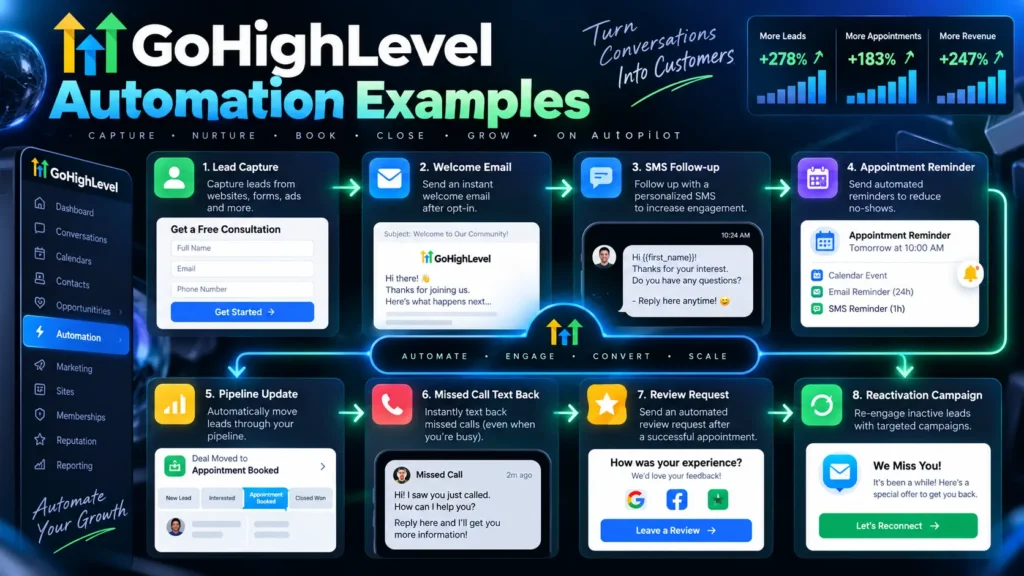
Workflows are where GoHighLevel earns its price. Here are 6 you can copy, each with a trigger, the steps, and a sample message.
I haven’t run these on a paid account, so treat them as patterns to test, not guaranteed results. Menu names can change, so confirm in the workflow builder. For the tool overview, see our GoHighLevel review.
How to build any of these
- Pick the trigger (a form fill, a missed call, a booked appointment).
- Add the actions in order (text, email, wait, task).
- Test it with your own phone and email.
- Publish it and check the first real runs.
Build one at a time. Don’t stack 6 on day one.
1. Missed-call text back
Trigger: a call goes unanswered.
Steps: send a text within a minute, then create a task for your team.
Sample text:
“Hi, sorry we missed your call. This is [Business]. How can we help? Reply here and we’ll get back to you today.”
Why it works: someone who called wants an answer now.
2. Speed-to-lead
Trigger: a new lead submits a form.
Steps: send a text, send an email, assign a task to call the lead.
Sample text:
“Hi [first name], thanks for reaching out to [Business]. Want to book a quick call? [booking link]”
Speed is the point. A reply in the first few minutes beats one the next morning.
3. Appointment reminders
Trigger: a booking is made.
Steps: send a confirmation, then a reminder 24 hours before and another 2 hours before.
Sample text:
“Reminder: your appointment with [Business] is tomorrow at [time]. Reply C to confirm or R to reschedule.”
4. No-show recovery
Trigger: the appointment is marked a no-show.
Steps: wait 15 minutes, send a text offering a new time, then a follow-up email the next day.
Sample text:
“We missed you today. Want to pick a new time? [booking link]”
5. Review request
Trigger: a job or deal is marked won.
Steps: wait 2 days, send a text asking for a review with a direct link, and send a reminder email if there’s no reply.
Sample text:
“Thanks for choosing [Business]. Would you leave a quick review? It helps a lot. [review link]”
6. Long-term lead nurture
Trigger: a lead hasn’t booked after 7 days.
Steps: send one helpful email a week for 4 weeks, with one text after week 2.
Keep each email short and useful: a tip, a case, a question. Stop the sequence if they book or reply.
Rules to follow
- Get consent before texting. US rules require it, and carrier registration applies. Ask a lawyer if you’re unsure.
- Add an opt-out line. Honor it fast.
- Watch usage fees. Texts, calls, and AI features are billed by usage. Estimate your monthly volume first.
- Test with your own number before any live lead sees the workflow.
Which plan do you need?
The Starter plan includes workflows and covers 3 sub-accounts. See our Starter plan review for limits and real cost.
Frequently asked questions
Does GoHighLevel have workflow templates?
I didn’t verify the current template library. Check the workflow builder in a trial.
Can GoHighLevel send text messages automatically?
Yes. Texts are a core feature, billed by usage, and need proper consent.
How many workflows can I run?
I didn’t find a published cap on the Starter plan. Check the current plan details before you build many.
Related guides